Whether running a chain of retail stores, a single outlet, or planning a one-time event, Shopify POS offers an encompassing and cohesive way to sell offline and online.
That’s the headline, but how does this Shopify product help businesses with a brick-and-mortar presence stand out? Find out everything you need to know about the pros and cons of the Shopify POS system with this Coalition Technologies overview.
Table of Contents
The Rundown
In this Coalition Technologies overview, you’ll learn more about:
- The ins and outs of Shopify POS
- How businesses can sell everywhere with this Shopify product
- The pros and cons of Shopify POS
- Frequently asked questions
Shopify POS: An Overview
If you’re running an ecommerce business, you’ve either heard of Shopify or have already used it. You might not know that the global ecommerce platform also offers a robust point-of-sale system to help businesses process in-person transactions while keeping them tied to their broader online operations.
Who Is It For?
POS is designed for a wide range of sellers, primarily those targeting a cohesive way to sell offline and online. Small businesses like boutique retailers or market vendors, in particular, will find POS an affordable way to process payments and track stock.
That said, Shopify POS isn’t exclusively designed for smaller businesses. Brands managing a chain of multiple retail stores or designing more significant pop-up events rely on POS for its scalability. Shopify POS’s features include managing staff for easier event coordination, analyzing sales metrics across multiple outlets, and more.
Pros and Cons
As of 2025, over 1.3 million brick-and-mortar stores globally rely on POS. Before exploring the system’s unique features, consider its broader pros and cons.
| Pros | Cons |
| An affordable entry point for brick-and-mortar stores, with POS Lite included in all Shopify subscriptions | Monthly costs for the Pro subscription can add up quickly |
| Integrates seamlessly with Shopify’s robust online platform | Advanced features are locked behind the Pro upgrade |
| Allows you to sync inventory, orders, and other retail data effortlessly | |
| Easy to set up and use | |
| Highly scalable, grows with your business across multiple outlets | |
| Supports multiple payment processors |
Key Features
- Omnichannel selling
- Cloud-based deployment
- Flexible payment processing
- Plug-and-play hardware
- Easy staff management
- Reporting and analytics
- Customer profiles
- 24×7 customer support
Omnichannel Selling
Omnichannel selling is one of the more significant highlights of our Shopify POS overview. Weaving your in-store and online operations into a cohesive system is a huge pro for the Shopify POS system.
Why?
Imagine you’re running a pet store, and you just sold 10 units of dog toys, and there’s none left in your warehouse. Shopify’s system saves you the hassle of updating your stock levels manually using a siloed program. This also vastly improves the shopping experience for your online customers since they’ll have access to up-to-date information on in-stock products.
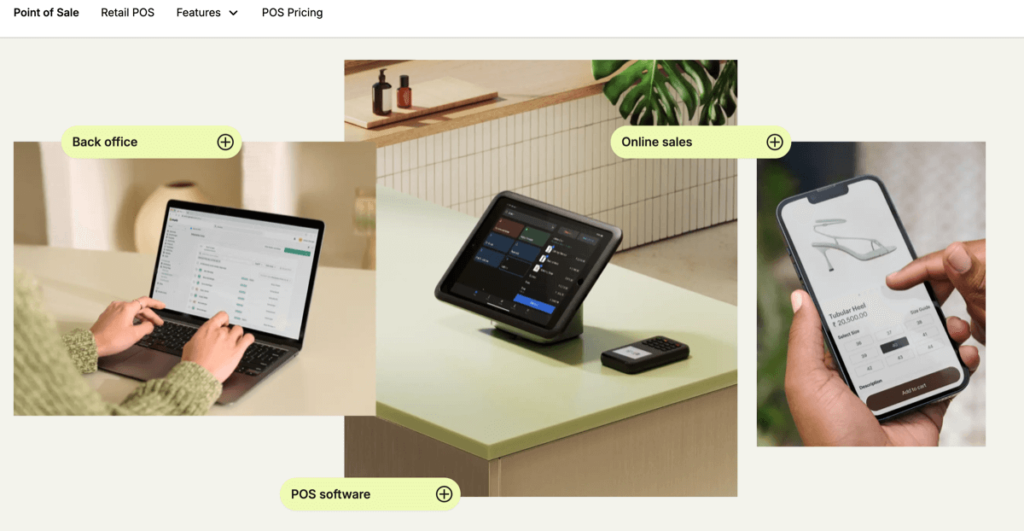
90% of Shopify merchants have connected their stores with two or more channels, and this Shopify POS feature offers an easy way to unify those touchpoints. You’re not just getting a more convenient way to manage your store; you’re getting a hassle-free tool that helps you meet customers where they are. Other key omnichannel features include:
- In-store order pickup management directly from the sales terminal
- Local order fulfillment management through Shopify POS
- Automated emails to customers who picked up an item in-store but didn’t buy it
- Direct-from-store shipping, including label printing through the Shopify platform
- Facilitating in-store exchanges and returns for items purchased online
Cloud-Based Deployment
POS does most of the work for you when deploying the system. You only need a physical device to run the app (an iPad, in most cases). The POS system itself runs on one of Shopify’s cloud partners.
The most significant advantage of this setup is that you generally never have to worry about data loss. Things inevitably go wrong with offline POS systems, and in many cases, that means permanent data loss and the inability to process transactions. With Shopify’s system, your data is backed up to the cloud, so you can quickly restore it after an outage or if you have to change devices.
Flexible Payment Processing
Flexibility is the big highlight of our Shopify POS overview, and payment processing plays a significant role. Shopify’s system accepts multiple payment types, including credit cards, mobile wallets (e.g., Apple Pay), and cash, through compatible hardware like card readers.
Plug-And-Play Hardware
One of Shopify POS’s best features is its modularity. Shopify’s ecommerce platform is known for its plug-and-play design, and the Shopify POS system offers a similar offering.
You can extend your sales terminal’s functionality with additional hardware. A store that typically relies on cash payments can easily accommodate cards by adding a simple card reader to its POS system. Shopify’s hardware store also offers tools like barcode scanners, receipt printers, and more.
Easy Staff Management
With its built-in features, Shopify POS completely streamlines oversight and accountability. Whatever the cons of the Shopify POS system might be, this is one area where the platform completely outperforms the competition.
Managers can assign specific tasks and permissions to team members with granular control over every team member. You can also authorize staff for particular tasks, like handling refunds or discounts. Every staff member gets a unique PIN to log into the POS system, making staff decisions easy to track.
Reporting and Analytics
Figuring out the next best move can be like finding a needle in a haystack if you’re operating in a crowded niche. Shopify POS’s advanced analytics features remove much of that ambiguity by highlighting what works and what doesn’t. Store managers can pull up sales trends, track top-performing products, and compare in-store sales with online numbers as they roll in.
Shopify POS Tip: Leverage An Expert
Shopify might offer a best-in-class platform for omnichannel growth, but all the analytics in the world won’t be helpful if you don’t know what to do with them. If you plan on deploying POS for your store for the first time, we recommend leveraging an expert Shopify agency to help.
A reliable Shopify agency can use your store’s data and channel it toward effective growth strategies. For example:
- Product performance can be tracked and analyzed for easier inventory management. For example, double down on fast-selling hoodies and ditch the denim at your brick-and-mortar outlet.
- Analyzing sales revenue trends by day, week, or month can help a business pinpoint peak periods or slow stretches.
- An agency can analyze customer behavior with Shopify POS, identifying repeat buyers and average spending to create targeted promos.
Customer Profiles
This Shopify POS system pro turns every transaction into an opportunity to build stronger buyer relationships. When someone purchases, a staff member can enter the customer’s name, phone number, and email at the point of sale. This can be linked to their shopping history, both in-store and online.
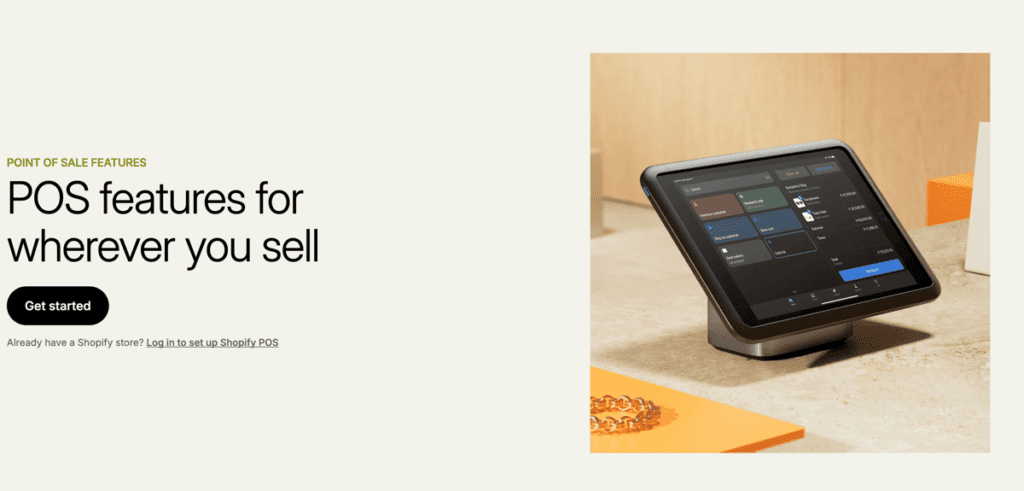
Ultimately, this Shopify POS feature creates a centralized hub of data that syncs with the Shopify ecosystem. For example, a customer who buys biking gloves in-store can get recommendations for biking jackets when they visit your website later.
The idea is to generate more repeat business by understanding exactly who’s walking through the door with Shopify POS. A smaller company could use this to cater to individual preferences, while a more prominent brand might track trends across multiple stores.
Ease Of Use
You only need a tablet and a Shopify website to set up and use POS. Most businesses deploy the POS app on iPads, but you can do this with an Android tablet if you’re not too worried about offline functionality.
You’ll also find it relatively easy to download and launch Shopify POS on your device. Basic features like processing transactions and creating promotions are intuitive and can even reduce training costs with their simplicity. Shopify also allows store managers to import item data with .csv files from their existing Shopify website if they’re setting up a brick-and-mortar location, which can massively speed up deployment times.
Customer Service
Shopify’s 24/7 customer service is one of its greatest assets. Consistent phone, chat, and email support can be a vital lifeline if you’re unfamiliar with Shopify POS features and need to troubleshoot something. Shopify’s Help Center is another great resource for minor issues and in-depth tutorials.
Shopify POS Overview: The Verdict
At $89 per month per location, Shopify POS Plus is a compelling option for businesses that want an intuitive but scalable omnichannel solution. The seamless setup, inventory management, and features like customer profiles easily outweigh the cons of the Shopify POS system for businesses that can handle the monthly subscription.
Grow Your Store with Shopify POS Today
Set your store up for success with the power of omnichannel selling. Work with a leading digital marketing agency to deploy and manage Shopify’s POS system for your store. Contact Coalition Technologies today for a free consultation and find out what we can do for your business.
Frequently Asked Questions
How does Shopify POS tie into online sales channels?
Shopify POS links your in-store setup with online channels—think website, Instagram, Meta, wherever you’re selling. The platform maintains inventory, customer details, and order information in sync across these channels, so you don’t have to manually update stock daily.
Can small businesses grow with Shopify POS features?
Absolutely. If you’re unsure about the platform, you can always use Shopify POS Lite, which is included in all Shopify plans. Features like payment processing and inventory tracking, backed by Shopify’s robust infrastructure, can help small businesses make an enormous impact.
Can digital marketing agencies help businesses grow with Shopify POS?
Yes. For example, agencies like Coalition Technologies can grab data from the Shopify POS system—details like what people prefer to buy in-store–and use it to create more intelligent marketing campaigns. Think emails that always hit the mark and drive sales or ads fine-tuned to reach the perfect demographic.
For more info on launching on Shopify, checkout our The Most Comprehensive Shopify Store Setup Guide Ever to kicking off your first store.
*Clicking on our affiliate link above will bring you to the Shopify free trial sign up page.