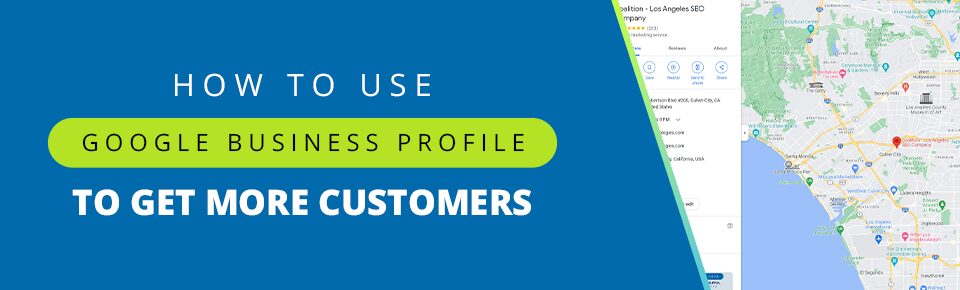
Google Business Profile (GBP), formerly Google My Business, is a business listing that helps people find your business on Google.
As the world’s most widely used search engine, with over 8.5 billion daily searches, Google is crucial to any enterprise with an online component. A well-managed presence on Google can prove transformative for your business and bottom line.
GBP is one of the easiest ways to improve your online visibility, control your business information, and draw in more customers. And the best part? It’s free!
This article delves into how you can attract more visitors to your Google Business Profile and convert them easily.
Table of Contents
- 1 What Is Google Business Profile?
- 2 Google Business Profile vs. Other Platforms
- 3 How to Set Up a Google Business Profile
- 4 Google Business Profile Optimization Tips
- 5 The Next Level: Go From Good to Great With GBP
- 6 Google Business Profile Optimization Checklist
- 7 Accelerate Online Growth With Coalition
What Is Google Business Profile?
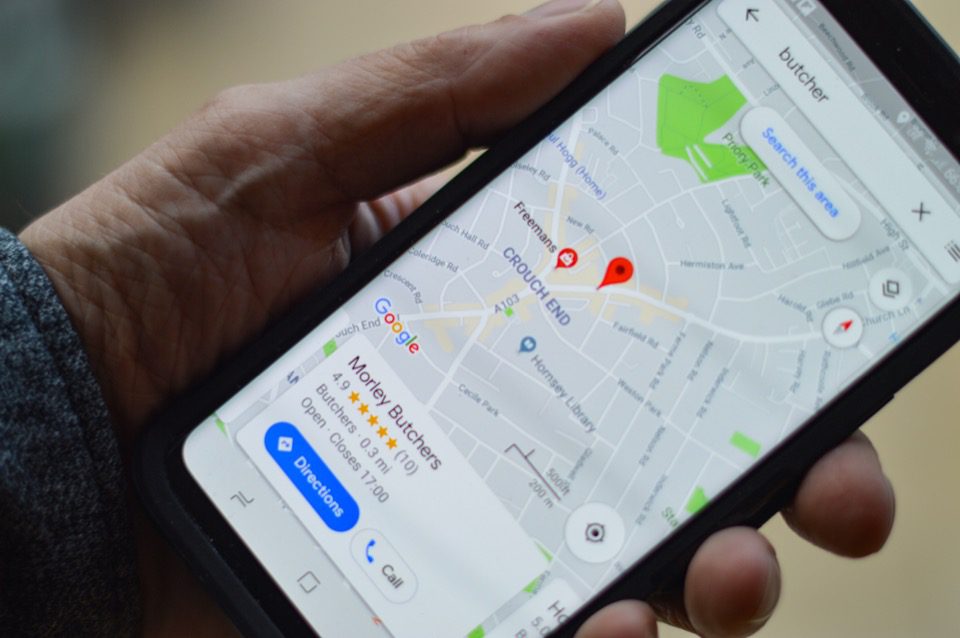
GBP is a free tool that lets you influence how your business shows up on Google products, such as Search, Maps, and Shopping. It includes a suite of interfaces, including a dashboard, in-SERP management of local profiles, and a community support forum.
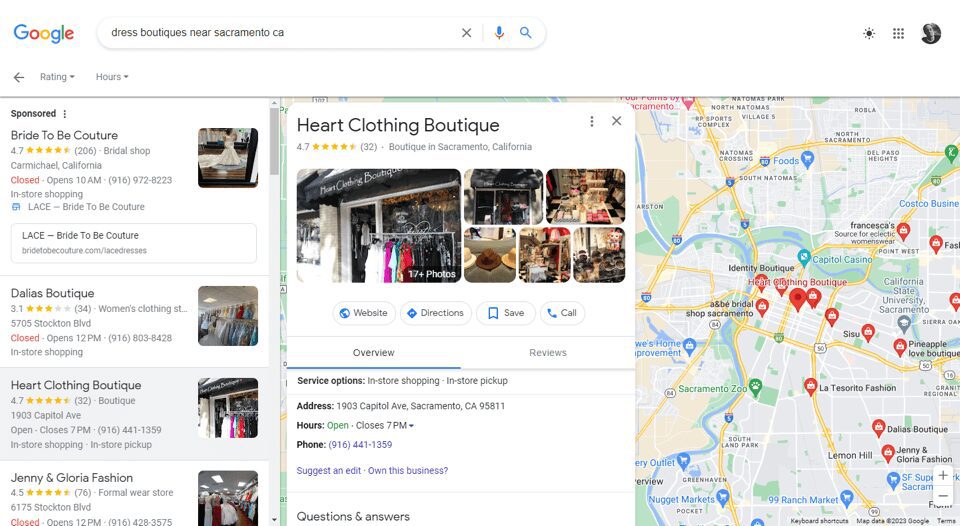
You can use Google Business Profile to increase traffic by listing your business on Google and connecting with customers. You can also provide details about your business, such as the location and service hours, as well as post photos, videos, and updates. It’s a great way to build credibility for your business through reviews and social proof.
Google Business Profile vs. Other Platforms
| Feature | Google Business Profile | Yelp | Bing Places |
| Customer Engagement | Q&A, posts, built-in booking, direct messaging | Messaging, check-ins, and responses | Mostly focused on business information displays |
| Visibility | Integrates with other Google Services: Maps, Search, and Local Pack | Limited search visibility | Smaller reach than Google, shows up in Bing Search and Maps |
| Cost | Free | Free, with paid options for advertising | Free |
| Insights | Provides comprehensive data on how users find your profile | Limited analytics on page views and user actions | Limited analytics |
| Accessibility | Easy to manage with the GBP dashboard | Relatively easy to manage | Similar to GBP, but with a less intuitive UI |
Even if you don’t have a storefront but provide a service where you interact with customers, such as a handyman, you can still use GBP to list your practice.
How to Set Up a Google Business Profile
Claiming and verifying a Google Business Profile is pretty straightforward. Start by logging into your Google account. If you don’t already have one, you can easily create one and increase traffic with Google Business Profile.
Step 1: Navigate to the Google Business Profile Manager. Fill out your business name and category.
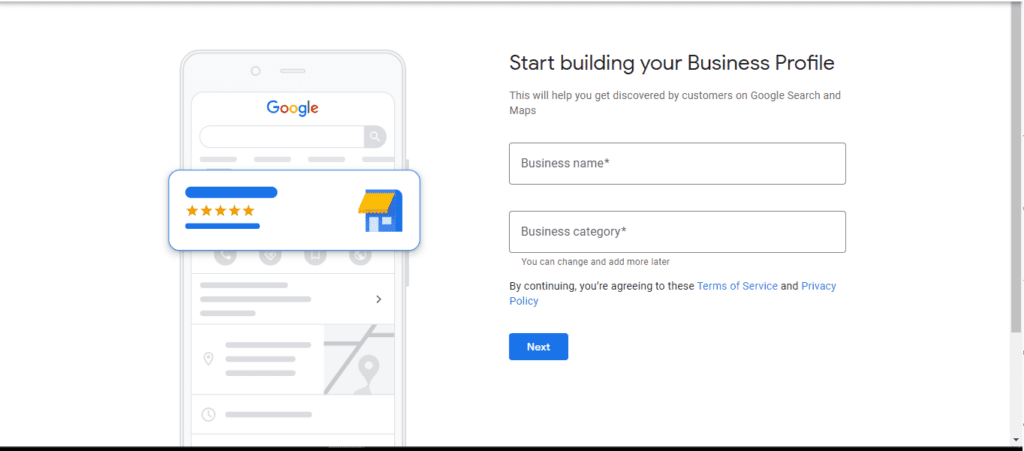
Step 2: Enter your location if you have a physical storefront. If not, you can list your service areas and specify the region you’re based in.
Step 3: Enter your contact details. This includes a website and preferably a phone number where customers can reach you.
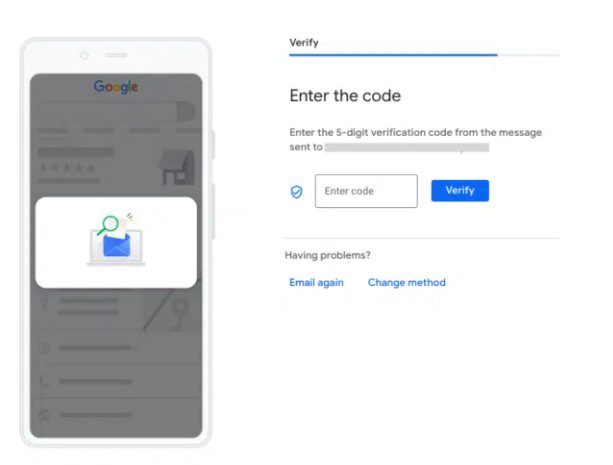
Step 4: Verify your listing. In order to set up your Google Business Profile and have it appear on search to increase traffic, you’ll need to get it verified. You can do this in a few different ways:
- By postcard: If you have a physical address, Google will mail you a postcard with a verification code.
- By video call or recording: Alternatively, you can also hop on a call with a support representative or record a video to showcase your business location and equipment.
- By email: If you intend to use GBP to set up a service-area business without a physical location, you can get verified via email.
- By phone: You can also receive your verification code via an automated call or text.
Google Business Profile Optimization Tips
Setting up your GBP is only half the job. In order to attract more visitors to your Google Business Profile, you’ll have to optimize it to make it as attractive as possible for potential customers. This can often be an ongoing job. Here’s how you can increase Google Business Profile traffic with clever optimizations.
Build a Complete Profile
The first order of business here should be to complete every field: business name, address, phone, category, and description. Creating a complete and comprehensive profile signals your reliability to potential buyers and is essential for making a good first impression.
If there’s a change in your business, it’s vital to update your GBP and use it to help customers make an informed choice. Having inaccurate information on your listing can be detrimental to getting conversions.
Display Products and Services
One of the most important things to get right is a list and description of your products and services. This is one of the best ways to enhance customer engagement through Google. Customers can scan these displays to see if they’re interested and make a purchase immediately if they like.
Add High-Quality Photos and Videos
You should set up a high-quality logo and cover photo to increase Google Business Profile traffic. These are often the first visuals searchers for your business will come across, so make them stand out. Ensure they’re consistent with the visuals you use on your social profiles to provide a seamless experience for customers.
It’s also highly recommended that you populate your profile with more images and videos of your business and services.
For instance, if you run a restaurant, you’ll want to add photos of your dining room, kitchen, dishes, and menu. Customers shop with their eyes, and you’ll want to use your GBP listing to showcase your business in the best possible light.
You can also add videos to provide a more immersive experience for searchers, turning that increased Google Business Profile traffic into likely conversions. For instance, if you’re a museum, a brief virtual tour can do wonders to attract more footfall.
Include Keywords
Keywords are search terms that users type into Google to look for relevant results. Your GBP description should ideally include keywords that are relevant to your business and that customers might search for. Doing this is essential in attracting more visitors to your Google Business Profile.
You can find relevant keywords in several ways. Keyword Planner and Google Trends are some good tools you can use to find GBP keywords. You can also conduct research, including browsing descriptions of similar businesses and checking out the terms listed under the ‘People Also Ask’ section on Google result pages.
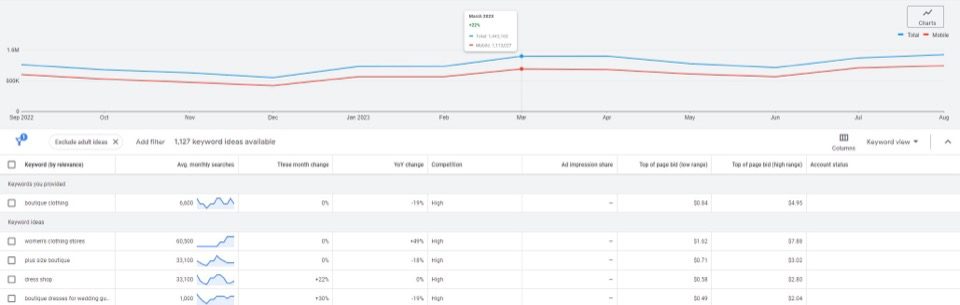
Alternatively, you can partner with an expert SEO agency to unearth the best-performing keywords for your profile and increase your Google Business Profile traffic. This can significantly improve the frequency with which your listing gets displayed for relevant search queries and boost your leads.
Provide Relevant and Useful Information
Google offers you a host of options you can use to improve your Google Business Profile with relevant information. For instance, in order to attract more visitors to your restaurant, you can indicate whether they offer dine-in, takeaway, and no-contact delivery. They can also upload menus to let customers order online.
Hotels can list their amenities, concierge services, sustainability practices, class ratings, business hours, and more. Healthcare providers, such as doctors, medical practitioners, and therapists, can add details like healthcare information and services offered, including diagnostics, house calls, and more. You can use these GBP features to provide an improved experience to customers and prompt them to reach out to you.
Create a Q&A Section
There’s no better way to provide useful information than a Q&A section, and GBP gives you all the tools you need to create one easily. Google allows potential customers to ask businesses about their products and services directly. Taking the time to answer these questions reflects well on you, the brand. Once you’ve responded to a couple of common questions, other potential buyers can get answers at a glance and continue engaging with your products.
Integrate Calendar and Booking
Calendar integration is a stepping stone between increasing Google Business Profile traffic and conversions. You can add transaction links to your profile, including allowing customers to place orders or book an appointment. Your Google Business Profile will enable you to use third-party providers to set up these services; some links might even automatically appear on your profile. These can be edited via an account on the third-party provider’s site.
Many providers will even let you present a calendar so that potential customers see when you’re available and book an appointment accordingly. If you’re working hard to attract more visitors to your Google Business Profile listing, you’ll definitely want to leverage calendar integration to convert them.
Leverage Reviews and Ratings
Reviews are the best kind of social proof to show that customers are happy with your service. 99.9% of customers read online reviews before they buy something. And some 96% will look for negative reviews specifically.
Remind your customers to leave a review by providing a link via email, chat, or receipts. You can even incentivize them by offering discounts and cashback. Doing this might not increase Google Business Profile traffic directly, but it will impact how prospective buyers see your business.
Ensure you respond to reviews, thanking positive commenters and meaningfully engaging with criticism. This shows potential customers that you care about the service you provide and invest in customer relationships.
The Next Level: Go From Good to Great With GBP
Now that you’ve set up a comprehensive profile and are following a few basic best practices for Google Business Profile updates, you’re ready to take your listing to the next level. Increase Google Business Profile traffic and turn your listing into a sales generator with these expert tips:
- Local SEO: If your business has a physical presence, you should absolutely be leveraging Local SEO with Google Business Profile. Optimize your store for local keywords where possible. For example, a law practice might use terms like “Corporate Attorneys in New York City.” Additionally, you’ll want to use consistent NAP (Name, Address, Phone) data across platforms to ensure consistency and avoid confusing visitors.
- Post Regular Updates: Your Google Business Profile is the perfect place to let searchers know about what’s going on with your business. If you have any sales or events coming up, make sure to post about them on your profile. Managing Google Business Profile posts is easier than you might think. Just remember to include a link or instructions in your posts to let visitors know how to interact further with your website.
- Engage with Insights: Learning how to attract more visitors to your Google Business Profile is a long, ongoing process. Not everything you try will work, and that’s okay. Engage with insights to find out exactly how you can improve the next time.
- Include FAQs: Including a FAQ section on your page is an excellent way to increase your Google Business Profile traffic. Using direct, natural, and concise language in your FAQs and mentioning your business as a potential solution can increase the chances of your listing being highlighted.
- Seasonal Promos: Holidays are peak seasons for shopping, and your GBP is prime real estate for a great holiday promo. Don’t forget to put up a post on your listing to let buyers know about your upcoming seasonal deals. For example, a restaurant could increase footfall by advertising a ‘Buy 1 Get 1’ meal deal through GBP, using a colorful banner and a catchy call to action.
Google Business Profile Optimization Checklist
Our step-by-step guide to Google Business Profile covers a lot of ground. Use this checklist to make sure you’re on the right path and attract more visitors to your Google Business Profile.
- Build a Complete Profile.
- Name
- Address
- Phone Number
- Category
- Description
- Create a detailed list of your products and services.
- Upload high-quality photos and videos of your products.
- Use relevant keywords in your Google Business Profile to increase traffic.
- Incorporate Local SEO to drive footfall.
- Create a Q&A section for your profile, answering common visitor questions.
- Respond to customer reviews constructively and helpfully.
- Capitalize on seasonal promotions.
- Engage with insights consistently.
Accelerate Online Growth With Coalition
Coalition Technologies is recognized as one of the world’s leading SEO and digital agencies. We’ve generated over half a billion dollars of revenue for well over 1,000 clients worldwide. Check out some of our case studies or customer reviews.
Partner with Coalition to level up your online presence and attract footfall, both digital and physical. Schedule a personalized consultation and free strategy review today!
Frequently Asked Questions (FAQs)
Can my Google Business Profile increase traffic to my website?
Absolutely, an optimized Google Business Profile can be a beacon that captures search traffic and swiftly directs it to your website. You should remember to include your website link in your listing and include helpful information that highlights your products and services.
Can I optimize my Google Business Profile myself?
You can, but optimizing a profile and generating Google Business Profile marketing ideas is an incredibly time-consuming process. Working with a trusted digital marketing agency can save time, money, and help you achieve even better results. SEO experts can help you find the right keywords and the best ways to attract more visitors to your Google Business Profile.
What are the benefits of using Google Business Profile?
A few major benefits of using GBP include:
- Increasing your visibility in local search results.
- Allowing potential customers to connect directly with your business.
- Establishing your business as an authority in the space.
- Providing valuable insights into how customers find and engage with your business.
What kind of content should I post to increase my Google Business Profile traffic?
Quality is king when it comes to GBP. You should only post relevant, engaging content that buyers might want to know about, such as upcoming sales, special events, and helpful answers to commonly asked questions from visitors.